The essential toolkit for
media music workflows.

Cue naming, BWF timecode, tempo maps, stem checks, conversion, and more. Designed for busy composers, music editors, & engineers – and their loved ones who might want to see them outside the studio on occasion.

macOS 13+ Apple Silicon + Intel One-time purchase No iLok
FROM THE DEVELOPER

Your DAW is perfect for music creation. But when it comes to managing massive piles of data and complex workflows for studio-level music delivery, there is a better way. That's why I developed CueMachine. I've personally honed this toolkit on hundreds of TV, film, and game score projects, and now I wouldn't work a day without it. I sincerely hope you will find it as useful as I have!

Forest Christenson, CueMachine Technologies

Seven tools. One app.

Cue Names

Rename a whole delivery to spec in one pass.

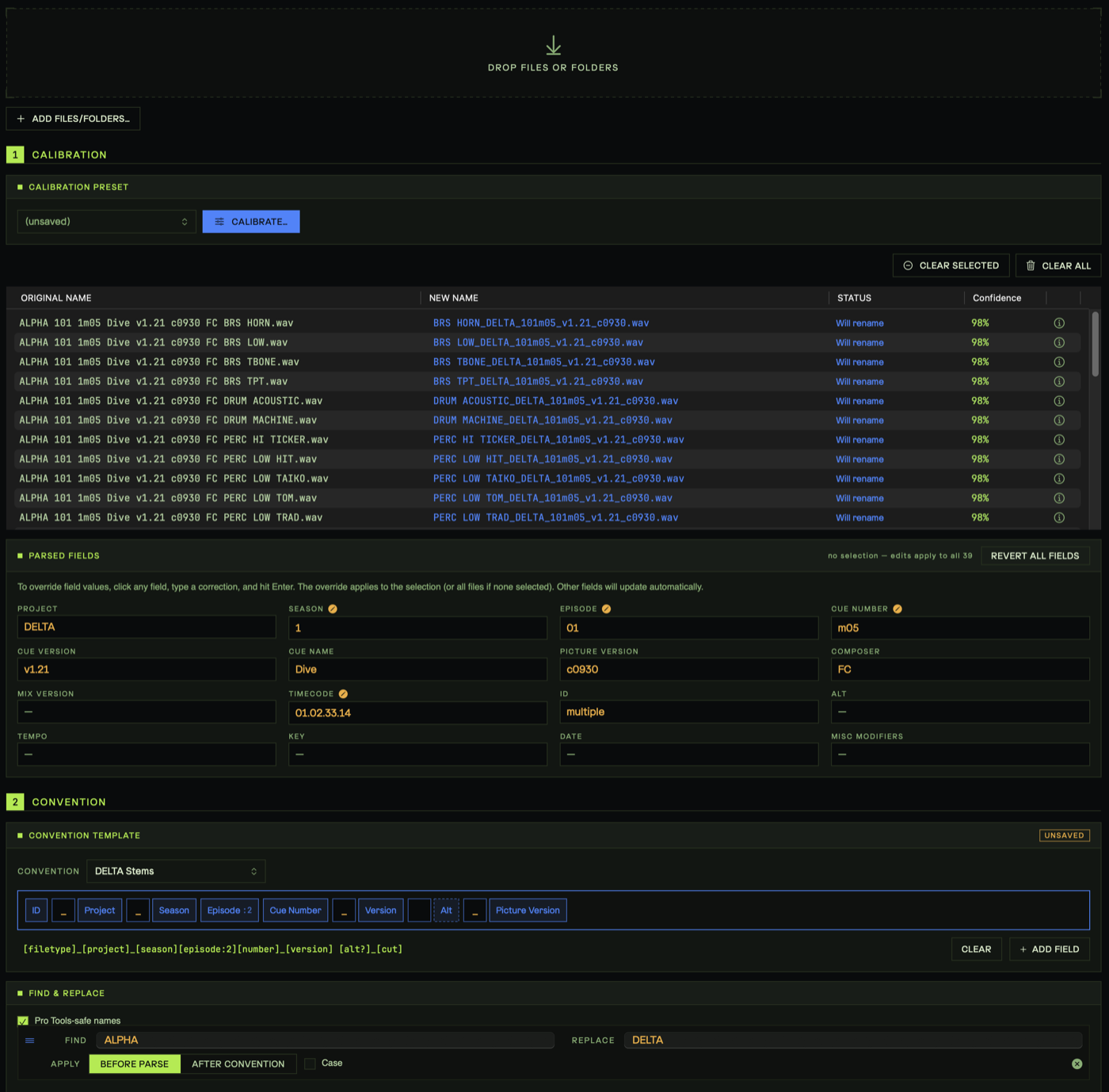
Batch file naming, precisely tuned for film and TV cues (e.g. "1m02 v3"). Apply rules and see results instantly. Calibrate with your own preferences, save naming convention presets for projects, and share conventions across teams.

Cue Names: original filenames parsed and previewed as new names with per-file confidence scores, driven by a drag-and-drop convention template

Empties

Find and strip empty files from a batch.

Scan and tag or remove empty files from a file batch. Perfect for trimming down batch exports, labeling deliverables for a dub stage, or saving space on archival backups.

Empties scanning a batch and flagging empty audio files

Multi-channel Refine

Drop dead channels, keep every pan position.

Drops empty channels from multi-channel audio files without compromising the pan positions of the original file. Save system resources and keep your sessions clean and manageable.

Multi-channel Refine dropping empty channels from multi-channel audio files while preserving pan positions

Tempo / MIDI Events

Pull tempo maps without opening the session.

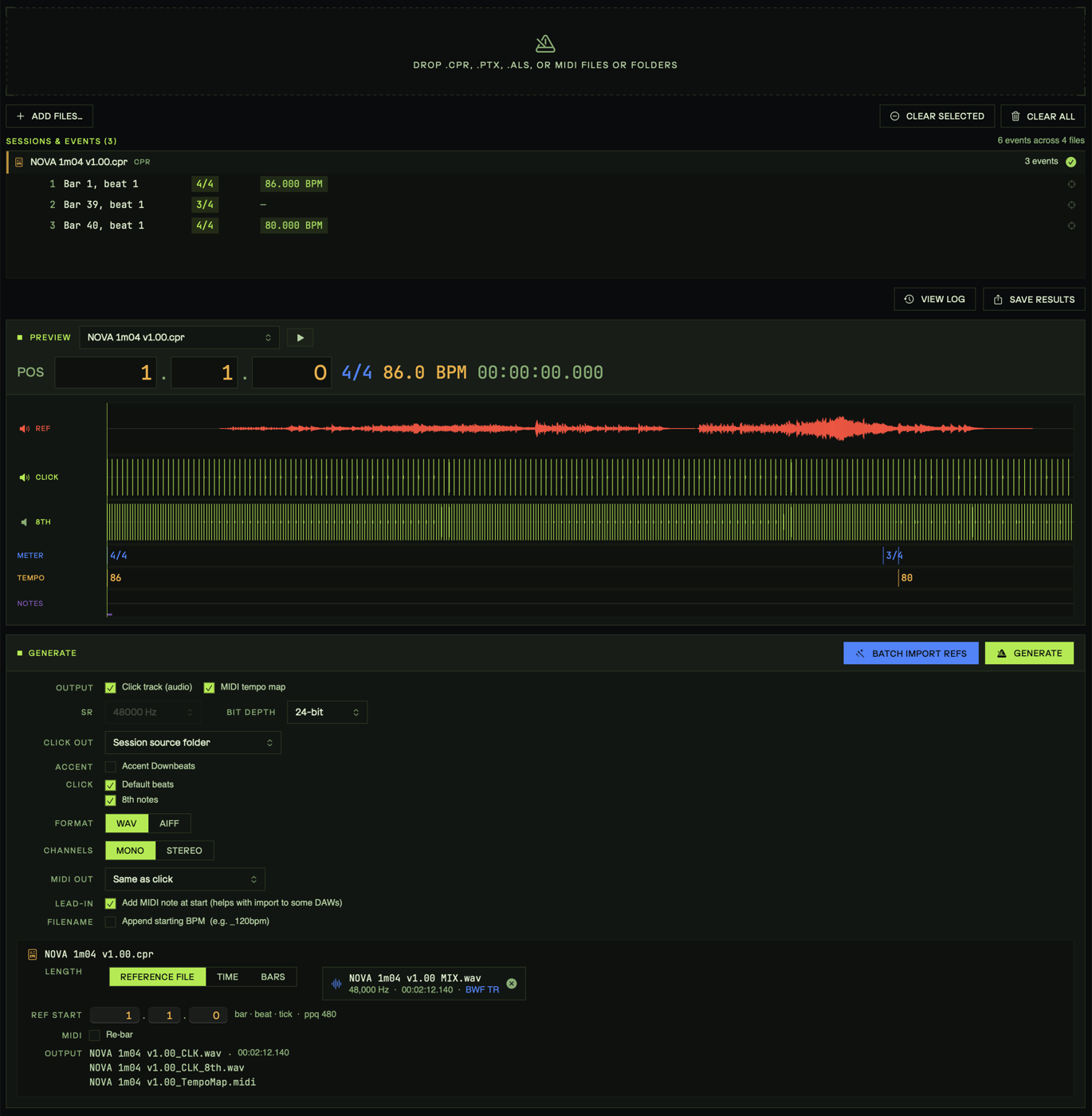
Read tempo and meter events from Cubase .cpr, Pro Tools .ptx, or Standard MIDI files without opening them, and optionally print click tracks or export midi tempo maps. Works on batches - get clicks and MIDI for a whole movie in one pass.

Tempo and meter events read from a Cubase session, with click-track waveform preview against the reference mix

Timecode Stamps

Re-stamp WAV/AIFF timecode across a whole movie.

Manipulate timecode start metadata in your WAV or AIFF files. Set new timecode, offset timecode earlier or later, set timecode from filename, or set filename from timecode. Works on individual files or batches (re-stamp stems from a whole movie 3 seconds later in one pass). 

Timecode Stamps offsetting BWF start timecode later by two minutes, with old and new timecode and filenames previewed per file

Ref Check

Score stems against a reference mix, fast.

Analyzes the difference between stems and reference mixes. Includes an advanced match scoring system, an interactive audio player that points you to detected problem areas, with sample-accurate A/B playback, stem soloing, and phase delta playback. Also perfect for comparing mastered files to reference mixes.
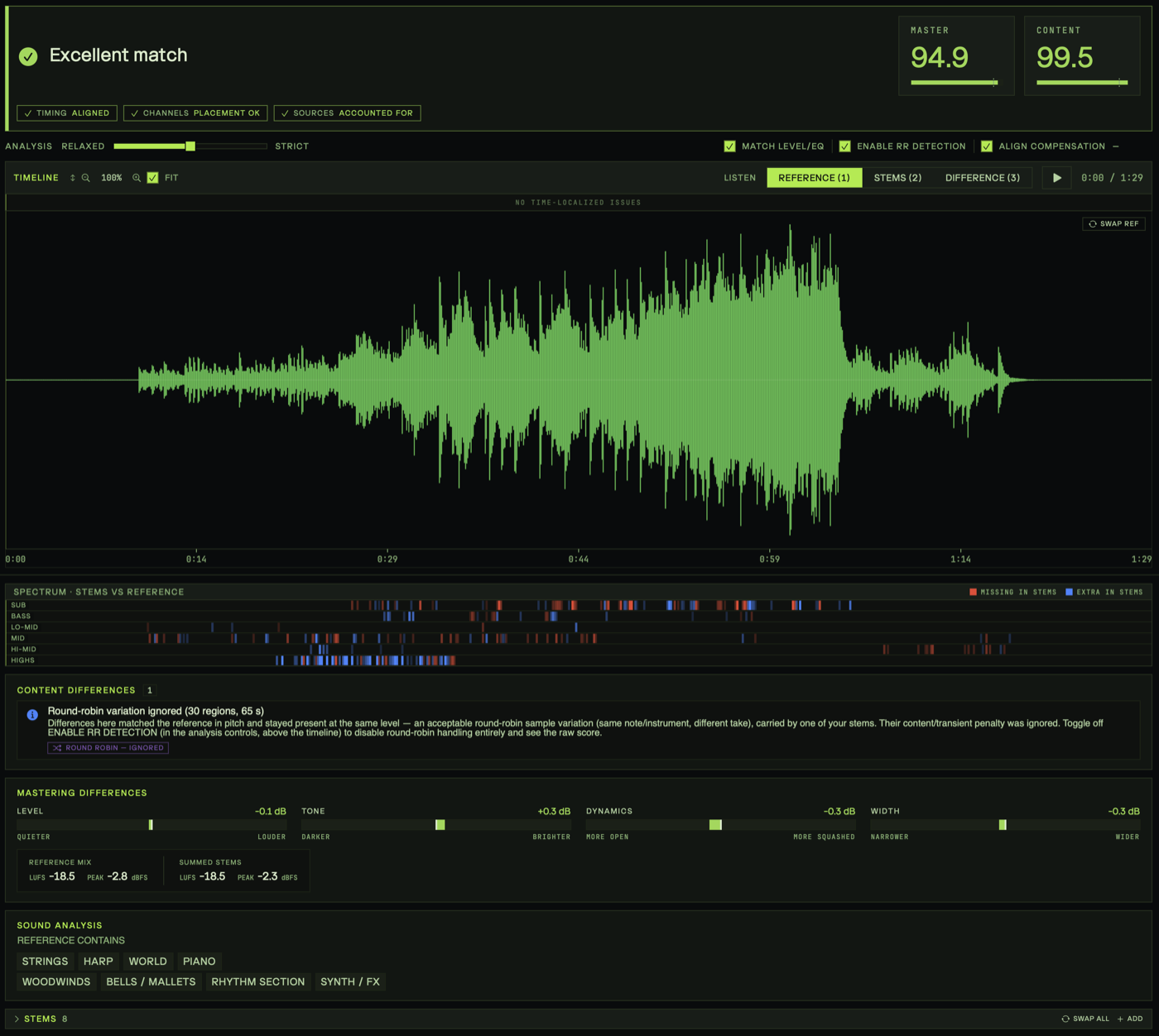
Ref Check verdict: Excellent match with master score 94.9 and content score 99.5 over a waveform timeline and per-band spectrum comparison

Inspect / Convert

Inspect any file, then convert with presets.

Drop any file to inspect its format, sample rate, bit depth, channel layout, timecode, BPM, and ACID markers. Then, resample, re-bit, down-mix, trim silence, normalize, or encode to WAV · AIFF · CAF · FLAC · MP3 · M4A · AAC from saved presets. For WAV and AIFF files, all timecode metadata is preserved across conversions.

Inspect / Convert: a loaded batch showing per-file format, sample rate, bit depth, and timecode, with conversion, trim-silence, normalize, and rename options

Philosophy.

Show, don't guess

Every operation previews its result before a single file changes. Non-destructive by default — you commit only what you've already seen.

One app, on your Mac

No cloud round-trips, no plugin host, no Terminal scripts to maintain. Everything runs locally and stays out of your session.

Built from the chair

Designed by a working composer against real delivery specs. Every tool earns its place because it's used on actual shows.

Buy it, own it

One-time purchase, no subscription. Dense, fast, and hotkey-first — made to disappear into the work instead of demanding attention.

One-time purchase.

Intro sale: 40% off the regular price, for a limited time.

40% off · intro
CueMachine
$77.40one-time$129
  • All seven tools
  • Three bonus apps included
  • Activate on 2 Macs
  • Free updates
Buy CueMachine · $77.40
macOS 13+ · Universal · no iLok
Not sure? Try it free for 30 days.

Every tool, every feature, unlocked. No credit card, no iLok, no account to make. If it doesn't earn its place in your delivery, you walk away.

Download 30-day free trial Then $77.40 one-time (40% off intro), with a 14-day money-back guarantee. Yours forever, with free updates.
Teams & facilities

Need more?

Volume licensing for studios, post houses, & audio teams.

Request volume pricing
Students & educators

Learning or teaching?

Discounted licenses for students, faculty, and educational programs.

Request education pricing

Three extras. On the house.

Every CueMachine license comes with all three menu-bar apps, free.

ProjectSwitch

ProjectSwitch

Switch multi-app workflows.
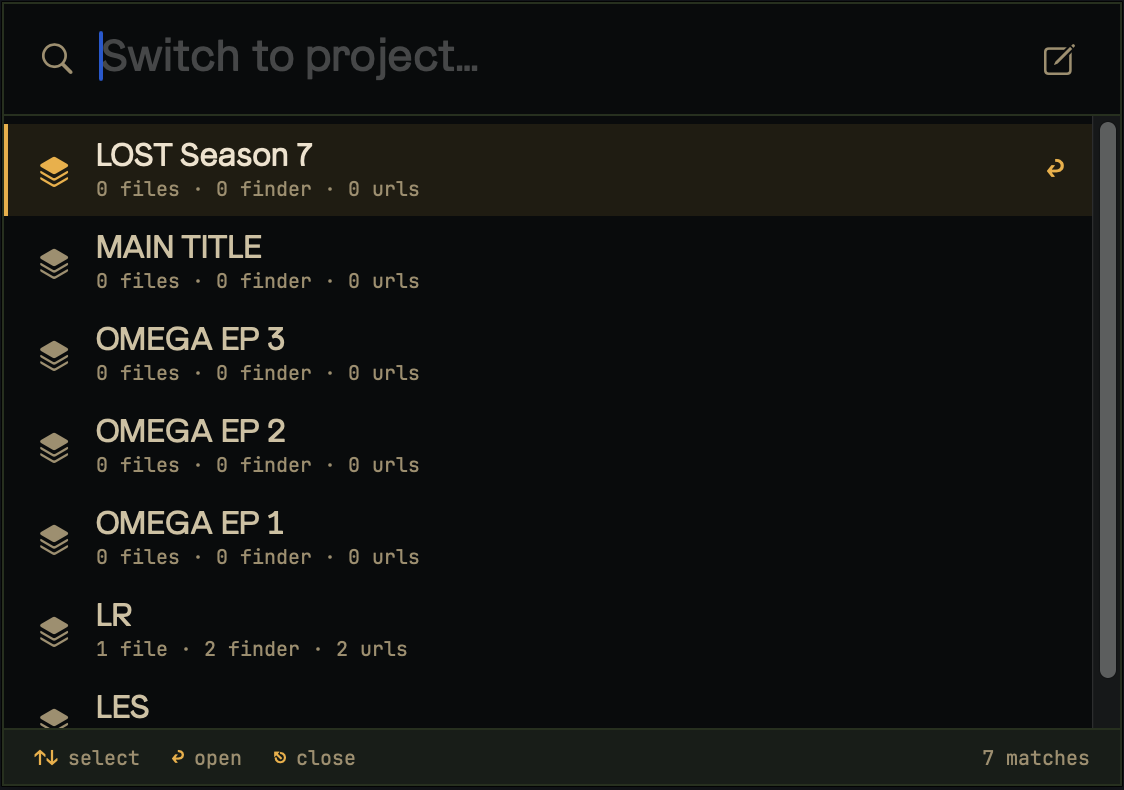
ProjectSwitch project switcher listing projects to open

Open DAW sessions, asset folders, reference URLs, all at once.

  • Perfect for multi-app workflows for composers who want to open specific files all at once in apps or sites like Video Sync, Pro Tools, CueDB, Google Sheets, DAWs, Vienna Ensemble Pro, Divisimate - or whatever you use.
  • Ideal for quickly switching over template files between TV episodes or multiple shows / movies.
Included
FastTempo

FastTempo

Tap tempo when you actually need it.
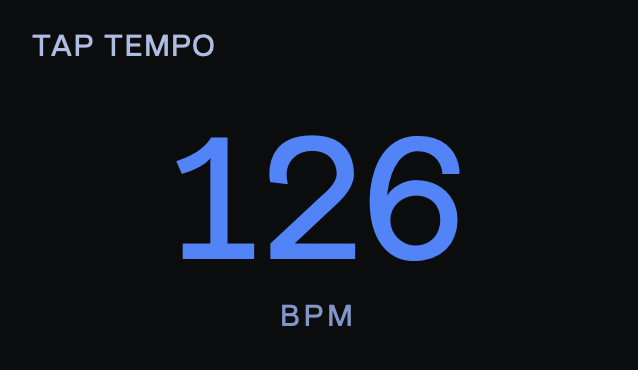
FastTempo tap-tempo readout showing 126 BPM

Tap tempo at your fingertips.

  • Runs in the background ~0% CPU. Always there when you need it.
  • One-handed tap and reset - get a quick and accurate tempo read at any time, from inside any app.
Included
TunedOut

TunedOut

A tuner, one keystroke away.
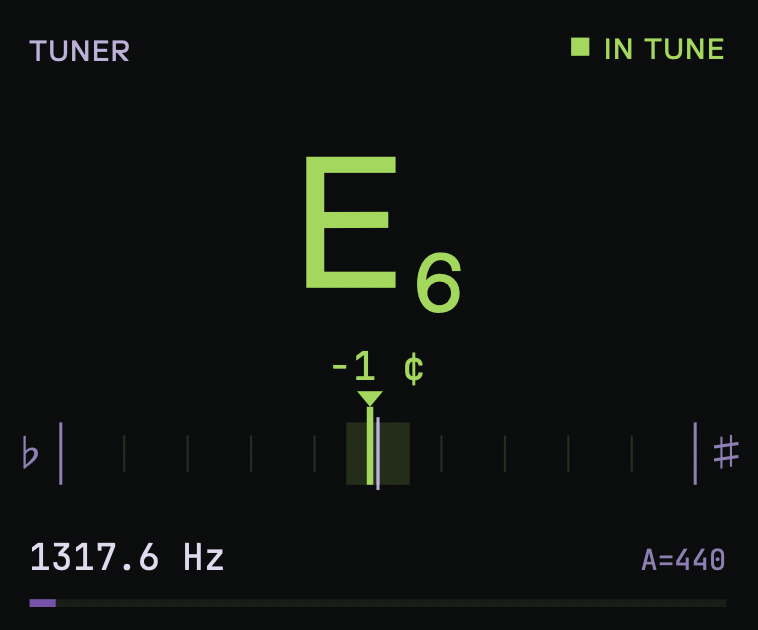
TunedOut tuner showing note E6 in tune at 1317.6 Hz

A precise instrument tuner that lives in your menu bar.

  • Fast, accurate YIN pitch tracking for strings, winds, and voice.
  • Pops up over any app for a quick read, then gets out of the way.
  • Runs in the menu bar at ~0% CPU.
Included
One purchase. All three included.
Every CueMachine license ships with ProjectSwitch, FastTempo, and TunedOut.
Get CueMachine · $77.40

MonitorHUD · for UA Apollo owners

Hardware monitor control for UA Console: volume, mute, dim, fold-downs, talkback, and meters, from a keystroke. Sold separately, because only Apollo rigs can use it.

Requires UA Apollo + UA Console
40% off · intro $11.40 $19 See MonitorHUD